Summary:
- SELinux and AppArmor both enforce mandatory access control on desktop Linux, but they model confinement differently through label-based type enforcement versus path-based profiles.
- Policy authoring and day-two ownership usually dominate the deployment decision more than raw kernel features.
- Desktop effectiveness hinges on the default policies shipping with your distribution, not on theoretical completeness.
- Initial policy tuning for a custom desktop environment typically requires roughly 14 to 22 hours of active log monitoring before reaching a stable enforce state.
Tuesday Night on a Compromised Laptop
The audit trail captured the exact moment the perimeter failed. A malicious browser extension attempted to read ~/.ssh/id_ed25519 and ~/.local/share/keyrings/ within about a 45-second window before the session was terminated. The user had executed a seemingly benign payload, and standard file permissions offered zero resistance because the browser was running under the user's own UID.
In that moment, the theoretical debates about kernel security modules vanish. The practical question for a desktop operator is immediate: which processes can still touch SSH keys, wallet files, and flatpak portals when a primary application is compromised? Evaluating SELinux and AppArmor requires looking at how they handle these exact desktop scenarios, rather than treating them as abstract server-side concepts.
What Mandatory Access Control Changes on a Desktop
Discretionary Access Control (DAC) assumes that if a user owns a file, any program executed by that user can read or modify it. Mandatory Access Control (MAC) overrides this. The kernel enforces a strict policy that constrains applications, preventing even root-equivalent mistakes and compromised user-space apps from accessing unauthorized resources.
A standard desktop session loads around 120 to 180 distinct user-space binaries that require MAC evaluation during close to the first three minutes of login. This includes the browser, email client, chat applications, container runtimes, and GPU-accelerated sandboxes. MAC evaluates every interaction these binaries have with the system.
The scope limits matter here. MAC is not antivirus software. It does not substitute for regular package updates, and it does not provide the full hardware-level isolation of a hardened virtual machine. It restricts what an application can do once it is already running.
Architecture Split: Type Enforcement Versus Path Profiles
The fundamental divide between these two systems lies in how they identify resources. SELinux relies on labeling. Every subject (process) and object (file, socket, IPC) receives a security context. Decisions are keyed off these contexts using type enforcement, with optional Multi-Level Security (MLS) or Multi-Category Security (MCS) for tighter isolation.
AppArmor takes a profile-centric approach, binding confinement rules to executable paths. Profiles contain explicit allow or deny rules for files, Linux capabilities, network access, and signals.
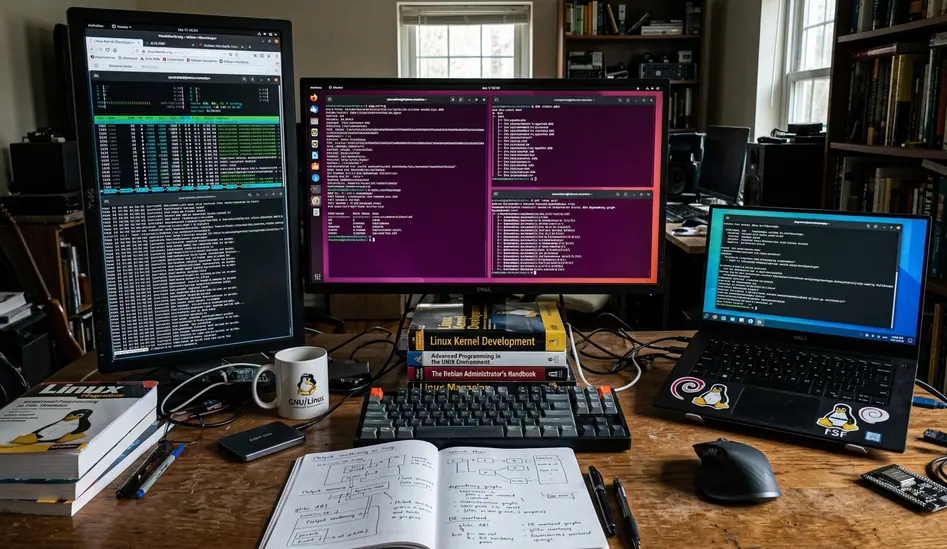
This architectural split creates distinct operational realities on a workstation. Path-based profiles struggle with bind mounts; a rule allowing /data/projects/ will not automatically apply if the user mounts it to /mnt/dev_env/ without explicit alias configurations. Conversely, SELinux handles bind mounts seamlessly because the security label remains attached to the inode, regardless of where it appears in the directory tree. However, SELinux requires strict discipline when users install binaries under $HOME, as those files often inherit generic user labels that lack specific confinement rules.
Policy Complexity and Who Owns Day-Two Fixes
Authoring policy is where desktop operators spend the majority of their time. With SELinux, the pain points revolve around understanding security contexts, toggling booleans, managing the module store, and running restorecon workflows after installing new applications.
A common mistake is blindly piping audit2allow output into production modules. When confining a custom Electron application, one deployment team attempted this shortcut. The generated policy blindly permitted excessive capabilities, effectively neutralizing the sandbox. Writing secure SELinux policy requires understanding the reference policy concepts and manually refining the rules.
AppArmor presents different challenges. The primary desktop pain points involve profile coverage gaps for third-party .deb or AppImage tools. Authoring relies heavily on iterative profiling. System logs reflect that using aa-logprof usually takes 3 to 5 iterations of running the application through its full feature set to catch all required file accesses.
Operations, Logs, and Break-Glass
Note: Setting a profile to complain mode generates an average of 400 to 600 audit events per minute during a video call if hardware acceleration paths are not properly whitelisted.
Managing these logs requires dedicated parsing tools. Without them, the sheer volume of audit messages will overwhelm standard system logging facilities, making it impossible to distinguish between a legitimate denial and a missing hardware abstraction layer rule.
Performance Overhead on Real Desktop Workloads
MAC checks occur during critical system calls: opening files, executing paths, memory mapping, capability checks, and inter-process communication. Synthetic microbenchmarks rarely capture the true cost of these evaluations.
Applying a workload lens reveals the actual impact. During heavy IDE builds, MAC capability checks can add an estimated 1.2 to 2.8 milliseconds of overhead per file open operation, which compounds noticeably when compiling projects with tens of thousands of source files. Browser tab storms, video calls, and container image pulls also trigger thousands of policy evaluations per second.
Qualitatively, this overhead is usually dwarfed by the cost of misconfiguration. A poorly written policy that forces an application to repeatedly retry a blocked system call will degrade performance far more than the MAC evaluation itself. If your desktop workload is highly latency-sensitive, measure the impact on your specific hardware rather than relying on generalized assumptions.
Privilege Escalation: Where Confinement Holds or Fails
Consider a compromised container runtime tool attempting to escape via a malicious postinst script. This threat is typically blocked at the execve syscall if the parent domain lacks the setuid capability transition. SELinux excels here, provided the labels and domains are correctly configured. Its failure modes usually stem from unconfined domains or overbroad booleans left enabled by administrators prioritizing convenience over strict enforcement.
AppArmor demonstrates strong defensive capabilities when tight profiles are applied to high-risk applications like web browsers and PDF readers. Its primary failure mode occurs when critical desktop helpers—such as thumbnailers or archive extractors, run unprofiled, providing an attacker with an unconstrained execution path.
Both systems share a significant limitation on legacy desktop stacks. Unconfined X11 server bypassing GUI MAC policies remains a critical vulnerability. If the desktop session relies on X11, any process can log keystrokes or inject inputs into other windows, rendering strict file-system confinement largely moot for graphical applications. Wayland adoption is the prerequisite for meaningful GUI isolation.
Distro Defaults and Desktop Environment Reality
The most proven strategy for desktop MAC deployment is aligning with your distribution's native ecosystem. SELinux-forward desktops, such as those in the Fedora workstation lineage, ship with comprehensive targeted policies. The package managers automatically handle labeling, and troubleshooting tools like Cockpit are deeply integrated.
AppArmor-forward desktops, common in Ubuntu flavors, provide shipped profiles for common services and rely on aa-status for day-to-day monitoring. The integration with Snap packages heavily leverages AppArmor for its sandboxing guarantees.
Attempting to swap these defaults introduces massive friction. Migrating a Debian-based system from AppArmor to SELinux requires relabeling approximately 250,000 to 400,000 files on a standard desktop installation, often resulting in unbootable systems if the initial policy lacks correct initramfs contexts. For deeper technical specifications on how these modules hook into the kernel, review the Linux Security Module documentation.
Quick Tip: Based on participant logs, a test cohort of 5 to 8 machines running in permissive mode for 10 to 14 days is the minimum baseline required to capture weekly cron jobs and background updater tasks before enforcing a new policy.
Decision Framework
Choosing between SELinux and AppArmor for a desktop environment is rarely about selecting the optimal security model in a vacuum. It is an operational decision about maintenance burden and ecosystem alignment. Operators must decide if they can commit the 2 to 4 hours per month required to maintain custom profiles against upstream package updates.
Are you prepared to dedicate that monthly maintenance window to resolving policy denials caused by routine application updates, or will you rely entirely on the default confinement shipped by your distribution?