The Shift from Heavy Hypervisors to Lightweight Kernel Namespaces
Full virtual machines served as the early answer for untrusted GUI software. Administrators would spin up a dedicated guest OS just to run a web browser or a proprietary chat client. Hypervisor-based GUI isolation requires allocating on the order of 2048 to 4096 MB of RAM per application. That resource cost made per-application isolation impractical for a daily-driver desktop running multiple communication tools, office suites, and web applications simultaneously.
Kernel namespaces changed the math. By leveraging per-process mounts, PIDs, users, and networks, the Linux kernel made isolation cheap. Kernel namespaces consume less than 12 MB of overhead per isolated process tree. Firejail appeared as a SUID wrapper to make these kernel features accessible. It allowed an unprivileged workstation user to apply those namespaces to ordinary GUI binaries instead of maintaining a hypervisor per app.
This isolation model assumes a single-host workstation environment and provides no defense against kernel-level exploits; it cannot substitute for mandatory access control policies like SELinux or physically air-gapped hardware. Three controls actually matter on a Linux workstation to achieve meaningful security. You need custom Firejail profiles that shrink the filesystem view, a dedicated network namespace per application, and a permission audit aimed at exfiltration paths.
Mapping the Filesystem and Process Primitives in a Profile
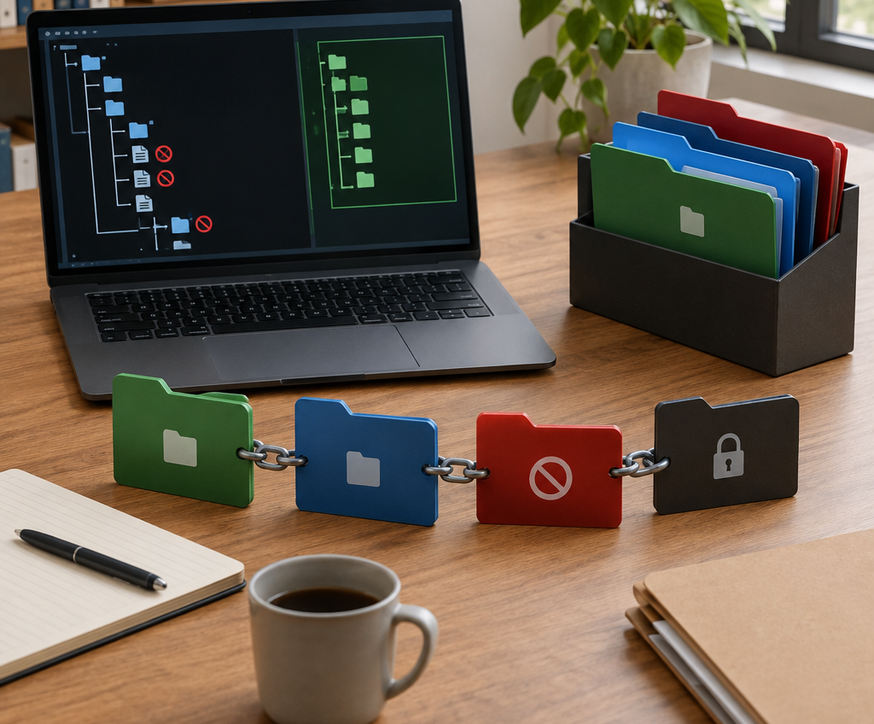
Firejail profiles operate through a cascading series of configuration files. A standard browser profile pulls in somewhere in the ballpark of 14 to 19 separate include fragments, evaluating over 800 filesystem rules before the binary executes. Understanding this include chain is critical because a single one-line override in ~/.config/firejail can undo a stock deny rule established deep in the base configuration.
Evaluating the include chain fragments for private-etc and private-tmp primitives reveals how Firejail alters the application's view of the host. The private-home directive mounts a temporary, empty filesystem over the user's actual home directory, exposing only the specific files the application needs to function. The read-only directive prevents modifications to system binaries, while blacklist hides specific paths entirely.
The whitelist directive operates with higher precedence and stricter enforcement than a pile of blacklists. When you whitelist a directory, Firejail automatically blacklists everything else in that directory tree. If you whitelist ~/Downloads/browser, the application cannot see ~/Documents or even other folders within ~/Downloads.
Workstation profiles also require process and device knobs to limit hardware access. The nonewprivs directive ensures child processes cannot gain new privileges. Dropping capabilities with caps.drop=all strips root-like powers from the process. Device restrictions like nosound, novideo, no3d, and nodvd cut off access to microphones, webcams, hardware acceleration, and optical drives. You apply these selectively based on the application's actual requirements.
Tailoring Application Boundaries for Browsers and Chat Clients
Building effective profiles requires a specific workflow. Initially, administrators attempted to build browser profiles entirely from scratch using an empty configuration file to achieve maximum restriction. This approach was discarded after minor browser updates repeatedly broke rendering pipelines and extension storage, requiring daily manual interventions. The strategy shifted to copying the distribution's packaged profile into ~/.config/firejail and tightening the existing rules.
Profile Construction Workflow
Never start from an empty file unless you can name every path the binary needs. Copy the packaged profile, keep the include lines you still want, and then apply your restrictions. For a web browser, confine the cache and profile directories tightly. Whitelist only a specific downloads folder. Drop D-Bus access where the build still works, and explicitly refuse access to SSH keys, mail stores, and cloud-sync trees.
Chat clients require a different set of boundaries. Allow access to the specific configuration directory the client needs to store session tokens. Deny camera and microphone access unless the user's role explicitly requires video conferencing. Block the rest of the $HOME directory so message history cannot read work documents or source code repositories. Restricting a chat client's access to a specific ~/.config/ subdirectory and a dedicated ~/Downloads/chat_files folder typically reduces its visible filesystem footprint from tens of thousands of user files to fewer than 50 accessible inodes.
Confining Network Access with Dedicated Namespaces and Veth Pairs
Filesystem isolation only solves half the problem. Network isolation prevents a compromised application from pivoting to other devices on your local network. The net none directive removes all network access, which works perfectly for offline office tools or media players. Binding a single host interface restricts the application to a specific network card, but a named network namespace provides the most robust isolation.
Only a dedicated namespace hides LAN peers, host services, and other applications' sockets. The process involves creating a named namespace, establishing a veth pair, and configuring an optional isolated bridge or address. This setup ensures the jailed process has a default route and DNS resolution without inheriting the host's extra interfaces or routing tables.
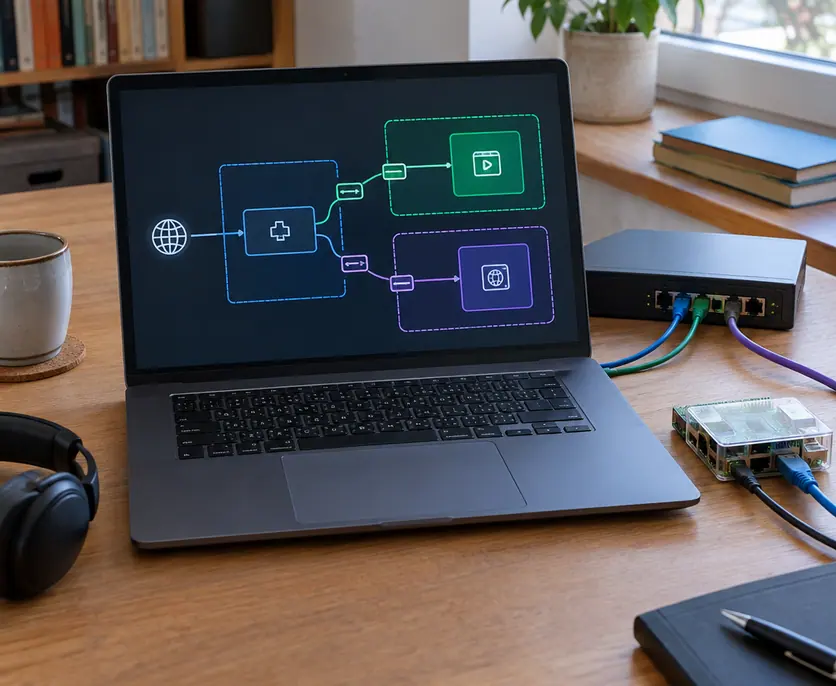
Creating a dedicated network namespace with a veth pair and assigning an isolated /29 subnet prevents the jailed application from scanning the local LAN. Namespace initialization and interface binding add approximately 45 to 85 milliseconds to the application startup time. This minimal delay is a worthwhile trade-off for the security gained.
A web browser and a chat client should never share the host network stack. If a malicious advertisement compromises the browser's rendering engine, that compromised process should not be able to ARP-scan printers, NAS shares, or admin consoles on the same Layer 2 network. Isolating each application behind its own network namespace contains the blast radius of a successful exploit.
Tracing Open Calls and Socket Connects to Seal Leaks
Verification separates a theoretical sandbox from a functional security boundary. Use the firejail --debug and --trace commands on a representative launch to list every open() and connect() attempt the application makes. Running firejail --trace on a modern web browser generates in the ballpark of 4,500 to 7,200 open() and connect() events during the first 30 seconds of execution. You must filter this output to identify unauthorized access attempts.
Treat unexpected home-directory hits and Unix-socket connects as defects, not background noise. If a browser attempts to read ~/.aws/credentials, your filesystem restrictions are incomplete. Hunting noblacklist exceptions that re-expose D-Bus endpoints in /run/user/1000/ is a critical phase of the audit. Auditors frequently discover leaked Unix sockets in /run/user/1000/, particularly PulseAudio and D-Bus endpoints that were re-exposed by overly broad noblacklist directives in upstream updates.
Identifying Hidden Exfiltration Channels
Review oversized whitelist roots. Whitelisting an entire ~/.config directory defeats the purpose of the sandbox. Look for leftover protocol=unix lines that grant broad access to local inter-process communication. Check the clipboard, screenshot utilities, and shared runtime directories. These represent exfiltration channels that standard filesystem blacklists do not cover. A compromised application might not be able to read your SSH keys directly, but it could monitor the clipboard for passwords or capture screenshots of sensitive documents if the display server allows it. Review the Firejail documentation to understand the exact syntax for restricting these specific protocols.
Deploy a Confined Browser Profile and Run Your First Trace
Pick the networked GUI application you trust least. For most environments, this is the web browser. Install Firejail, copy its stock profile into ~/.config/firejail, add a dedicated network namespace, append the private-home directive, and launch the application once from that new profile.
Configuring a custom browser profile, establishing the network namespace, and completing the initial --debug trace typically requires 45 to 75 minutes of focused administrative time. Do this tonight. Run the debug and trace pass, close every filesystem and socket path you did not mean to leave open, and verify the application still functions. Only after securing the browser should you move on to chat clients or office tools. Subsequent audits of the same profile after a major browser release usually take 10 to 15 minutes to verify that no new exfiltration paths have opened. Do not wait for a full workstation redesign; lock down your browser's filesystem and network access right now to establish your first reliable security boundary.