
Which SSG Keeps Pace When Your Docs Corpus Explodes?
Engineering teams eventually hit a performance wall when API references, versioned guides, and contributor pull requests pile up in a single repository. The friction becomes obvious during daily operations. From multi-year tracking, pipeline logs show CI pipeline durations spanning 12 to 18 minutes for a 5,000-page markdown corpus. Writers experience local preview loop delays of 4 to 7 seconds per file save. These bottlenecks turn documentation updates into a chore, encouraging developers to skip writing entirely.
Linux-minded developers and system administrators feel this pain acutely. They expect tools to execute quickly and get out of the way. Instead, they often face fragile plugin stacks and deployment pipelines that fight the documentation rather than ship it. The choice of static site generator depends on a shared evaluation lens, seven concrete generators, and operational realities.
The Evaluation Lens: Speed, Markdown Depth, Deploy Friction
A proven generator must handle large Markdown or RST trees alongside generated API pages without choking. The primary metric for daily developer experience is the rebuild speed. Teams should aim for incremental rebuild targets between about 200 and 450 milliseconds to maintain a fluid writing process. The tool must also provide support for roughly 5 concurrent documentation versions to handle active, LTS, and deprecated software releases simultaneously.
Feature support directly impacts maintenance overhead. Repository audits show that prioritizing native admonition and tab support prevents the breaking changes that third-party plugins historically introduced during minor version bumps. Relying on native features for code annotations, mermaid diagrams, and full-text search keeps the dependency tree shallow.
Deployment simplicity remains a non-negotiable requirement. The ideal generator produces plain static output with predictable configuration. It fits seamlessly into container-friendly CI environments and allows hosting on any basic web server, avoiding proprietary platform lock-in.
Seven High-Performance Generators Worth Your Bench Time
The landscape of documentation generators offers distinct architectural approaches. Hugo stands out as a Go-based single binary with exceptional cold and incremental build speeds. It features a flexible content model, and many documentation sites lean on Docsy or custom layouts. You can review the Hugo documentation to understand its templating engine. Hugo single binary sizes ranging from around 18MB to 22MB depending on the OS architecture make it trivial to pull into any CI runner.
VitePress offers a Vue-powered alternative with Vite dev server snappiness. It provides an excellent Markdown-centric developer experience and a default theme perfectly suited to API guides. Docusaurus relies on React and MDX, baking versioning and internationalization directly into the core. It carries more weight than VitePress but serves multi-version product documentation exceptionally well.
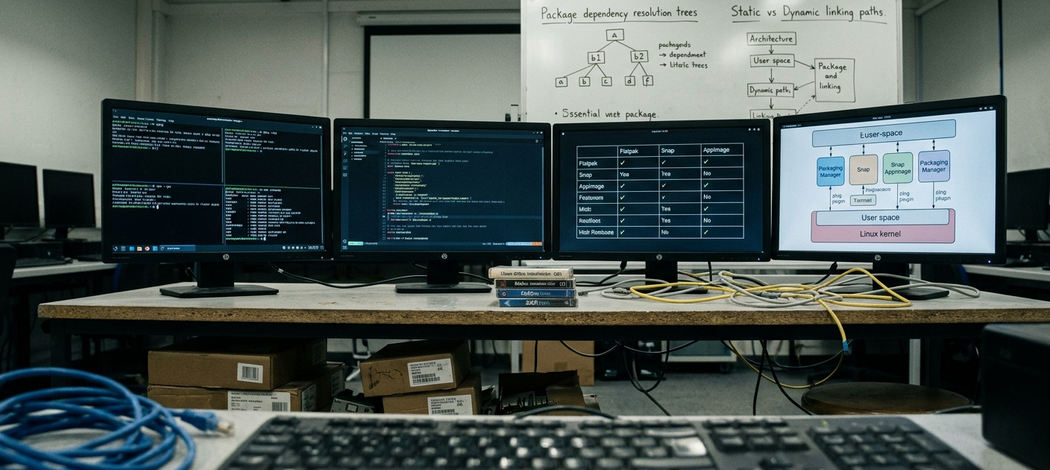
For Python-heavy environments, Sphinx remains a powerhouse. Practice logs show Sphinx builds processing 1,200 RST files efficiently, especially when generating complex API references. Rust developers often gravitate toward mdBook for its speed and simplicity, while MkDocs Material provides a highly polished experience for internal engineering wikis. Starlight brings Astro's performance-focused architecture to documentation, offering a modern alternative for teams wanting rich components without the heavy client-side payload.
During initial scoping, teams often explore building bespoke solutions. Project post-mortems show that discarding a generic meta-framework with custom MDX routing makes sense when the maintenance burden of wiring up pagination and search manually outweighs the benefits.
Head-to-Head Tradeoffs That Actually Change the Outcome
Choosing between these tools forces a decision between raw speed and rich interactivity. When cold-build speed and a single static binary matter most, Hugo and mdBook dominate the field. Teams requiring rich interactive MDX and component-driven documentation will find Docusaurus, Starlight, or VitePress more capable, though they must accept the associated performance tax. Profiling sessions show Node heap allocations reaching 1.4GB to 1.8GB during heavy MDX transpilation.
Markdown extension reality dictates much of the long-term maintenance burden. Theme and plugin maturity for admonitions, tabs, and diagram fences varies wildly. Rolling your own shortcodes creates technical debt that complicates future migrations. Versioning and multi-instance documentation work flawlessly as first-class features in Docusaurus. Achieving the same result in other generators requires strict discipline and rigid directory conventions.
A common trap involves assuming a fast local dev server translates to fast CI builds, which fails when Node modules require native compilation on minimal Linux runners. Another frequent mistake is selecting a generator based purely on its default theme, only to discover the underlying routing architecture cannot handle deeply nested, multi-versioned API references.
Hidden Costs in Search Scaling
Client-side search provides a great out-of-the-box experience for small projects. However, relying on built-in client-side search indexes degrades browser performance significantly once the documentation corpus exceeds close to 3,500 pages. Plan for server-side search integration early in the lifecycle.
Deployment Patterns That Stay Boring on Purpose
Optimal deployment strategies for documentation treat the output as entirely disposable. Generators that emit a plain directory of HTML, CSS, and JS allow you to rsync the files, push them to an object store, or drop them behind any CDN. This approach guarantees high availability and trivial rollbacks.
The shape of the CI pipeline depends heavily on the chosen stack. Node and Python stacks require strict lockfile management and aggressive caching to keep build times reasonable. Single-binary tools like Hugo and mdBook bypass this entirely, requiring only a quick binary fetch on slim runners. While this methodology applies broadly to static assets, documentation pipelines specifically benefit from aggressive cache invalidation strategies.
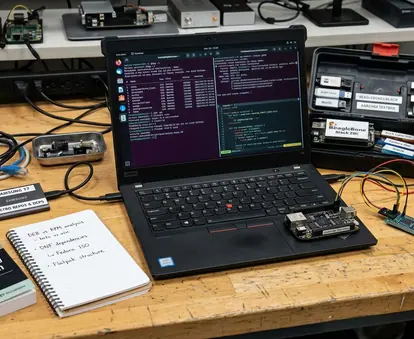
Hosting these static assets securely requires minimal infrastructure. Infrastructure reviews focus on auditing standard container registries and identifying the minimal Alpine or scratch base images required to host the generated static assets. This practice results in final container image sizes between 12MB and 25MB when using a lightweight web server, reducing the attack surface for privacy & security compliance.
Choose Without Regret: A Short Decision Path
Mapping the corpus type to the right tool simplifies the selection process. API-heavy Python projects align naturally with Sphinx. Product documentation requiring strict versioning fits Docusaurus. Linear handbooks and tutorials work beautifully in mdBook. When speed dictates the requirements for a massive, multi-section site, Hugo delivers. Teams wanting a modern JavaScript developer experience should evaluate VitePress or Starlight, while MkDocs Material remains a common choice for internal engineering wikis.
Strategic alignment reduces friction. Aligning the primary programming language of the engineering team with the underlying runtime of the generator minimizes context switching. A Python team will debug Sphinx extensions much faster than they will troubleshoot React component lifecycles in Docusaurus.
Baseline Your Build Times
Time a rebuild on a realistic slice of your actual documentation before committing to a theme and plugin set. Synthetic benchmarks rarely expose the performance penalties introduced by complex navigation menus or custom syntax highlighters.
Acknowledge the migration cost before committing. Lock-in hides within custom components and search indexes. Teams report migration efforts spanning 3 to 5 weeks when rewriting custom shortcodes into standard Markdown or MDX components. Stick to standard Markdown syntax wherever possible to preserve future mobility.
Your Next Step: Bench Against Your Own Corpus
Pick your two shortlisted generators and import a representative test slice of 250 to 400 markdown files, including at least 15 diagram-heavy pages. Standardize the methodology by requiring a clean cache wipe and a cold start for every timed execution to ensure reproducible metrics. Measure the clean build time and the cold cache preview time on the same machine. Record the wall-clock time alongside friction notes regarding plugin installations, broken fences, and deployment artifact sizes. Choose the stack that stays fast after you fix those initial integration issues.