AppImage treats each binary as a self-contained unit. Updates stay optional, per-app, and never forced by a central store. That design hands developers and sysadmins explicit version pinning, rollback, and air-gapped deploy paths that centralized package formats often bury under a single client. The real operational cost is process discipline—not missing infrastructure, and that cost usually lands lower than surprise upstream breakage.
Key Takeaways
- Each AppImage is a standalone executable; the host package database never owns it.
- Update channels are optional and per-app, so version pinning and rollback reduce to swapping one file.
- Rollback for a standalone binary typically takes a few seconds via a symlink swap, instead of waiting on a package manager to downgrade dependencies and rebuild caches.
- Silent accumulation of unpatched binaries in user directories remains the main failure mode when centralized auditing tools lack visibility into standalone executables.
- The operational value of decentralized deployment scales inversely with the strictness of fleet-wide automated patching mandates.
What AppImage's Decentralized Update Model Actually Is
An AppImage is a single executable file that bundles an application and its userspace dependencies without installing into the host package database. You chmod +x it, run it, and the filesystem layout of the host stays untouched. No shared library registration. No post-install scripts rewriting system paths.
Decentralized updates follow from that shape. There is no mandatory central channel. Each AppImage may ship its own update information—embedded update metadata plus companion tooling—or ship none at all. The AppImage project documentation describes how embedded zsync headers allow delta updates to fetch only the changed 12MB to 18MB of a typical 150MB binary, rather than redownloading the entire application archive. That is still a per-app decision. The project publishes metadata, or it does not.
Store-mediated models invert the ownership. A single service owns discovery, signature trust, and version cadence for many apps. You subscribe to the store's clock. AppImage leaves the clock with the binary's publisher—and with whoever holds the file on disk.
The Critics' Case: Why a Unified Updater Feels Safer
The objection is familiar and mostly fair. Without one updater, users miss patches, machines drift, and trust UX becomes uneven. Desktop end-users want a single notification surface. Enterprise fleets want an inventory of what is outdated. Both groups have watched standalone binaries age quietly in home directories while system-wide update sweeps pass them by.
Fleet audits frequently reveal standalone binaries that are more than a year out of date because they were downloaded once to a user directory and subsequently ignored by system-wide update sweeps. That is the failure mode critics name: stale AppImages left on laptops for years, still launching, still trusted by habit.
Drift Surface
If your audit tooling only scans the package database, every AppImage in ~/Applications is invisible until something breaks. Inventory the paths first; argue about update policy second.
I take that risk seriously. The question is whether the cure—binding every app to one store client—is cheaper than fixing the inventory gap and putting a few critical binaries under explicit control.
Version Pinning Beats Silent Drift in Real Deployments
A known-good AppImage path is a pinned artifact. You checksum it, mirror it, and roll back by swapping one file. Filename, signature, and content hash travel together, so build identity stays explicit instead of dissolving into whatever the repo index served that morning.
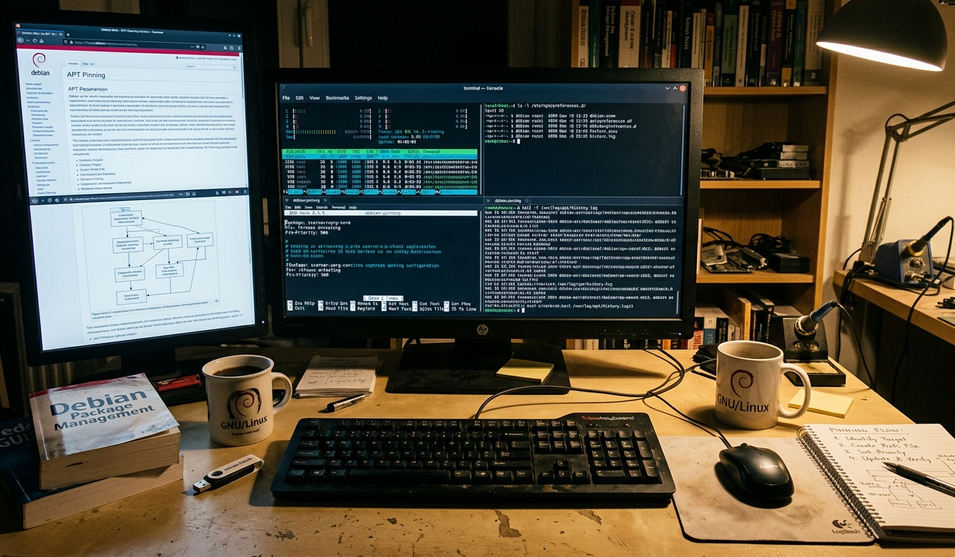
CI agents, lab images, and field laptops often must not jump major versions mid-run. Early on, one infrastructure team tried a centralized package manager on CI runners for security compliance. Unexpected mid-day package syncs broke builds when a compiler toolchain shifted under an in-flight job. Caching the build tool locally as an AppImage avoided a 45-second network fetch during pipeline execution and kept run times stable at 4 to 6 minutes. The pin was a path and a hash in the job definition. Nothing else moved unless someone changed that line.
That pattern generalizes. You decide when the binary changes. The binary does not decide for you because a background timer fired.
Reliability When Upstream Breaks, Renames, or Goes Dark
Decentralized delivery limits blast radius. One app's broken release channel does not stall a whole store client. The binary you already hold keeps running if a project renames repos, rotates CDNs, or abandons a packaging pipeline.
Repository renames or content delivery network rotations can cause centralized package managers to fail with 404 errors until mirrors fully sync. During that window, fresh installs and upgrades stall even though the application itself is fine. With an AppImage already on disk, users keep working. You schedule a deliberate fetch once the upstream path stabilizes.
Dependency on a living index service is a different reliability class from dependency on a file in your artifact store. I prefer the file when the workload cannot absorb a multi-day metadata outage.
How Developers and Sysadmins Actually Update AppImages
The process is short and repeatable:
- Fetch from a trusted project URL or an internal artifact store.
- Verify the signature or content hash against a known key or recorded digest.
- Replace the file atomically—write beside the live path, then rename or retarget the symlink.
- Keep N-1 on disk for rollback.
Optional tooling exists where a project publishes update metadata. Those helpers stay per-app. They do not become a global store monopoly. Configuration management tools can pull from an internal object storage bucket, verify a SHA256 checksum, and swap the active symlink within a few seconds. Fleet pattern: drop approved AppImages into a fixed path, restart the unit or service, done.
Promotion Pipeline
Stage first. Verify GPG against the developer's public key. Promote only after the checksum matches the runbook entry. Skip the ad-hoc browser download for anything that touches production.
Trade-offs Worth Accepting—and Where I Would Not Use This Model
Non-technical users may under-update. Discovery is weaker without a curated storefront. Duplicate libraries across around 5 to 8 heavy web-wrapper applications can consume roughly 1.2GB to 1.8GB of extra disk space compared to shared dynamic libraries. Those costs are real.
Centralized formats still win on locked-down kiosks that must only run store-signed builds, and in organizations standardized on one package bus. Relying on decentralized binaries introduces unacceptable compliance overhead in highly regulated environments where automated, fleet-wide vulnerability patching within a strict 72-hour window is a hard audit requirement. There I keep the store client and accept its cadence.
Everywhere else—lab images, CI toolchains, field kits, air-gapped appliances—I want the pin, the mirror, and the two-second rollback. That preference comes from packaging and desktop-environment comparison work for Linux operators, not from a claim that AppImage replaces every format on every host.
Put One AppImage Under Explicit Version Control Today
Pick one production-critical AppImage you already run. Record its SHA256 hash and source URL in the runbook. Place a verified copy in an internal mirror. Schedule the next deliberate upgrade review on a 30-to-45-day cycle so the binary stays secure without giving up deployment control. From this point forward, stop relying on ad-hoc downloads for that app—route every refresh through the mirror and the recorded hash.