The Reboot That Leaves the Desktop Where You Left It
A workstation comes back after a scheduled transactional-update reboot, unlocking through LUKS into a restored Wayland session on NVMe storage. GNOME or Plasma opens with the exact same window rules, while the active Rust and C++ build tree waits untouched inside its Distrobox container rather than sitting on the host filesystem. Traditional rolling-release upgrades often fail when mid-session library replacements crash active display servers. Moving a primary workstation to an atomic layout eliminates that fragility immediately.
Three architectural choices decide whether this setup succeeds as a daily driver: selecting between the Aeon and Kalpa desktop images, understanding how the read-only Btrfs root and snapshot rollback behave, and establishing where mutable software lives. Compilers, local database daemons, code editors, and one-off packages belong beside the host inside user-space containers, leaving the base system untouched.
Across our distribution reviews, successful long-term deployments enforce a strict boundary before installation. Host package layering stays restricted to 0 to 3 essential hardware packages—such as specialized VPN kernel helpers or scanner udev rules—across a 6-to-12-month operating window.
Read-Only Btrfs Root and the transactional-update Timer
A desktop administrator interacts with a deliberately split storage layout across Btrfs subvolumes. The root filesystem (/) mounts read-only from /@/.snapshots/X/snapshot, while /var and /home remain continuous read-write subvolumes bypassed by snapper rollback. Before applying any system changes, the package manager clones the active root into a fresh snapshot, applies updates inside a chroot environment, and marks the new subvolume as the next boot target.
The background automation handles daily maintenance without causing mid-day disk I/O stalls:
- Verify that
transactional-update.timeris enabled; it triggers once every 24 hours with a randomized delay window up to 2 hours to prevent mirror congestion. - Let the timer stage the daily snapshot in the background while you continue working in your active session.
- Reboot at the end of the workday to transition cleanly into the newly staged snapshot.
- Check your active target after login using
snapper list; Snapper retains a default ceiling of 10 to 20 root snapshots on/, consuming roughly 4 GB to 9 GB of additional Btrfs metadata and unshared extents before automatic cleanup purges the oldest entries.
Workstations relying on out-of-tree proprietary kernel modules that lack automated akmods or DKMS hooks inside the chroot staging environment will fail snapshot post-transaction checks during unattended timer runs. When an upstream package regression slips through, treat a bad update as a simple boot selection rather than layering fixes onto the broken root. Running transactional-update rollback last followed by a reboot restores the prior known-good system state.
Aeon on GNOME or Kalpa on Plasma
During initial provisioning, we considered installing the bare server image from the openSUSE MicroOS portal and manually layering a minimal window manager via transactional-update pkg install to save memory. We discarded that approach after noticing each minor X11 or Wayland helper package required a full snapshot generation and reboot cycle, choosing instead to test the pre-assembled Aeon and Kalpa images.
Aeon delivers the GNOME desktop environment, while Kalpa provides KDE Plasma. Both share the exact same immutable base, Btrfs snapshot model, and transactional-update path; only the graphical session and default applications differ. Select between these desktop environments based on the workflow you already use rather than chasing a perceived stability gap between the two images.
Both variants rely on Flatpak to keep graphical package formats isolated from the base OS. Aeon ships with fewer than 15 pre-installed host GUI utilities, pulling the core calculator, text editor, and document viewer directly from Flathub during the first-boot ignition script. A fully populated /var/lib/flatpak directory housing about 25 to 40 desktop applications and shared freedesktop runtimes occupies around 18 GB to 32 GB of writable /var storage. While Flatpak covers browsers, media players, and communication clients, system-level CLI tools, language servers, and custom build toolchains cannot operate cleanly inside Flatpak sandboxes and belong in Distrobox.
Distrobox as the Mutable Desk Beside the Host
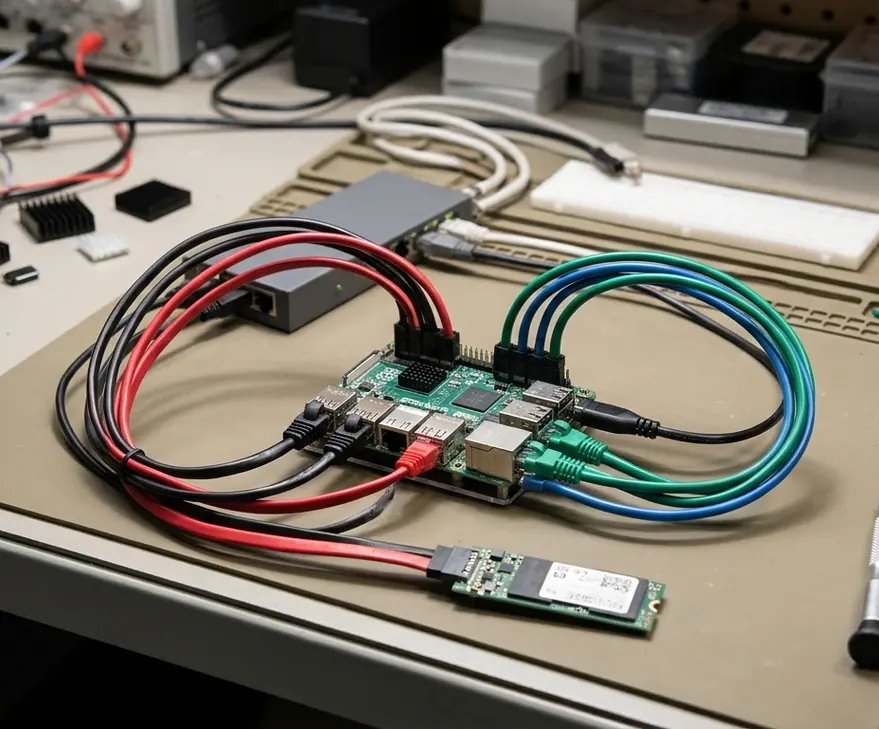
Distrobox acts as the operational bridge for daily engineering work. It wraps rootless Podman containers that maintain their own mutable package sets while sharing your home directory, Wayland display socket, and audio server, ensuring development tools never touch the transactional root. This architecture enforces a clean kernel-space versus user-space boundary: anything requiring /lib/modules or /etc/udev/rules.d mutations forces a transactional-update chroot clone and a warm reboot, whereas everything touching $HOME or UNIX sockets under /run/user/1000 stays inside rootless Podman via Distrobox.
The division of labor across the system follows strict boundaries:
- The Host OS: Owns the bootloader, kernel, display server, hardware firmware, and atomic daily updates.
- The Container Environment: Owns compilers, language runtimes, debugging symbols, web tools, and distribution-specific libraries stored under
/var/lib/containers.
Instead of maintaining one monolithic container that accumulates conflicting libraries over months, manage work environments through declarative distrobox.ini manifests stored in version control. Use distrobox assemble to spin up a fresh Tumbleweed or Fedora container image. Exporting a containerized GUI editor or CLI binary to the host ~/.local/bin via distrobox-export adds a small amount of launch overhead compared to native host execution.
Host Layering Rule
If a package alters the next root snapshot without driving physical hardware, it belongs inside a container rather than on the host.
The Next Login, Project Still in the Box
On the morning after an overnight kernel and Mesa stack upgrade, you unlock the workstation and log into the desktop. Checking tukit and snapper list in a terminal shows the active marker (*) shifted from snapshot N to N+1, while /home and /var/lib/containers retain close to 100% state continuity across the reboot boundary. The Wayland session runs on the newly booted graphics drivers, the root filesystem remains strictly read-only, and running distrobox enter dev-env attaches to your workspace with your open project files waiting right where you left them.