The Sealed Payload Is the Only Object Worth Auditing
A Flatpak, a Snap, or an AppImage stays opaque until you can name the filesystem inside it, the entry binary, and the confinement mode in the same breath as the files that would use any grant. That line is the audit posture. The storefront is a view of a claim.
Three checks decide whether you have audited the package. List and extract the payload. Compare declared interfaces to files you actually found. Map what the entry binary links or bundles. Clear all three and the notes describe one blob. Leave one blank and the scanner is still looking at the storefront.
Storefront install dialogs frequently collapse 15 to 40 distinct ostree metadata keys or snap.yaml interface plugs into 3 or 4 broad UI warning banners. The banners read cleanly because they throw away the keys. Star ratings sit further from the files. The install dialog is not the audit; the three checks are.
Local workstation timings record: generating a complete file manifest and permission baseline before first execution takes 4 to 8 minutes per package. Use that window on the extract, the interface list, and the NEEDED entries. Launch after the notes name a hash.
Name The Trio
Write filesystem type, entry path, and confinement mode on one line before you open a library directory. An empty slot means the payload is still sealed.
Three Checks That Survive a Format Change
Format-specific playbooks drift when a flag changes. The archive underneath stays put. Snap files are squashfs. Many Flatpak checkouts carry squashfs layers, and the deployment itself is an OSTree commit. A type-2 AppImage appends a squashfs filesystem directly after an ELF runtime stub that typically spans 180 to 210 kilobytes. unsquashfs opens the Snap and those Flatpak layers. --appimage-extract opens the AppImage, or you slice the embedded squashfs that starts after the stub.
Interface readers stay with their format. flatpak info --show-permissions prints the grants applied to a ref, overrides included. snap connections prints plugs the host has wired. A raw AppImage has no sandbox policy to print, so the interface check is a recorded absence.
Dependency mapping is readelf -d on the extracted ELF. Scope ldd only after you name the linker and the library directory it searched. Running readelf -d against an extracted entry binary can resolve direct shared library dependencies in under 2 seconds without triggering the dynamic linker. Leave the store page build blurb out of that measurement.
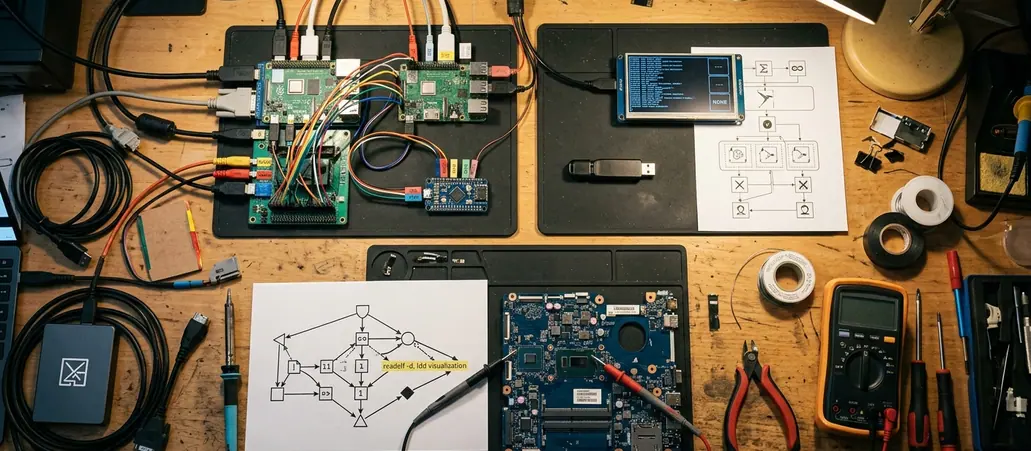
| Check | Snap | Flatpak | AppImage |
|---|---|---|---|
| Payload | unsquashfs on the.snap squashfs | OSTree commit for the ref, separate from the runtime | squashfs after a 180 to 210 kilobyte ELF stub |
| Interfaces | snap.yaml plugs versus snap connections | finish-args versus flatpak info --show-permissions | No policy file to print |
| Linkage | readelf -d on the extracted entry ELF | Same command, against the app checkout rather than host /usr | Same command, then the bundled library directory beside AppRun |
Static inspection covers the local archive you have administrative rights to unpack. Later channel updates, runtime dlopen(), and interpreted Python or shell wrappers sit outside that baseline. Write the boundary next to the hash so a refresh becomes a new audit.
Opening a Snap, a Flatpak Ref, and an AppImage
Work on a copy. Record sha256sum of the original blob before any extract so the notes name a specific file.
Snap As Squashfs
Treat the.snap as squashfs. unsquashfs -l lists the tree. Extract into a disposable directory. Read meta/snap.yaml next to the staged tree so the entry command and the plugs attach to paths you can open.
Decompressing a 150 MB to 600 MB desktop application squashfs payload can take 8 to 25 seconds on modern NVMe storage and consume on the order of 2.5 to 4 times the archive size in temporary disk space. Size the temp volume for the high end of that multiplier. A full disk stops the extract, and the listing no longer matches the tree on disk.
Flatpak Ref Beside Its Runtime
Separate the app checkout from the runtime. flatpak info identifies the ref. ostree and the exported files show the commit you actually have. Flatpak OSTree commit hashes use 64-character hexadecimal strings to bind the active deployment at /var/lib/flatpak/app/ to an exact, immutable directory tree. Copy that hash into the notes beside the sha256 of any file you exported.

The payload is that commit tree. Host /usr libraries stay on the machine. Folding them into the manifest invents dependencies the bundle never shipped.
AppImage Stub Then Payload
Confirm a type-2 image, note the stub span of 180 to 210 kilobytes, and open the payload with --appimage-extract or by slicing the squashfs that follows the stub. AppRun in the extract is the entry the launcher calls. Point the later readelf pass at the binary AppRun executes, not at the stub you skipped.
Hash The Copy
A download directory shared with a background daemon changes when the channel refreshes. The sha256 binds the extract log to one blob. The temp directory keeps that daemon off the tree you are reading.
Declared Plugs Versus the Sandbox You Actually Get
Pair the file in the archive with a live query on the host. Local overrides widen access without editing the bundle, so the two answers are allowed to disagree. The live query is the sandbox you actually get.
Flatpak grants live in finish-args style metadata and in overrides a user or admin has applied. flatpak info --show-permissions shows the merged result. filesystem=host, device=all, and broad session-bus talk-names collapse the sandbox story. A single filesystem=host or device=all token inside the Flatpak metadata Context block bypasses namespace isolation for all non-blacklisted host directories. A wide talk-name lets the app speak on the session bus without the portal in the path. The Flatpak sandbox permissions reference is the vocabulary for those tokens. Match each token to a path in the extract before you file the grant as decorative.
Snap confinement is strict or classic, and that split comes before the plug list. Classic is host-shaped. Strict still depends on connected plugs. Declared plugs in snap.yaml are a menu. snap connections is the live wiring, and the two lists diverge. In Snap packages, in the ballpark of 12 to 25 common desktop plugs auto-connect upon installation, while privileged interfaces remain disconnected until manually wired via the host daemon. An auto-connected desktop plug is already live. A disconnected privileged plug is a menu item until the daemon wires it.
AppImage portability here is an unsandboxed process. No bubblewrap policy and no portal broker unless the packager added one — almost none do. That absence is the confinement mode on the opening line of the notes. AppRun is the file that will run with the user's rights.
Unpack the squashfs offset or the OSTree commit, then set meta/snap.yaml plugs, Flatpak finish-args, or that unsandboxed AppRun script beside the readelf -d NEEDED entries from the entry binary. Record a grant even when no binary can yet reach the exposed paths. The binary that can reach them is the file you name before the next install.
NEEDED Entries Inside the Bundle, Not on the Host
file and readelf -h come first. Class, machine, and interpreter confirm the entry path is the ELF you think it is. A shell wrapper, a Python entry, or an ELF for another architecture ends the library pass. Static header parsing stops at that boundary: the note can name the script, and it cannot claim readelf saw imports the script will load later.
readelf -d lists NEEDED sonames from the binary itself. That list is the direct shared-library map.
I switched dependency checks to readelf -d after host ldd kept flagging private runtime libraries as missing. Running host ldd against an extracted Flatpak binary frequently flags 10 to 30 not-found library errors because the binary expects the runtime mounted at /usr rather than the host root. A Snap private /lib produces the same false alarm. Host ldd will also follow the interpreter path, which executes code during what was supposed to be a static pass. ldd earns a line in the notes only when the linker and the lib directory are both named and both belong to the bundle or its runtime.
Ambiguous sonames get a narrower pass. lddtree from pax-utils walks the bundled link map. nm -D on the bundled library shows whether that soname exports the symbols the entry binary expects. Neither tool has to execute the app.
Electron-based AppImages and Snaps routinely bundle 80 to 140 megabytes of Chromium shared objects and Node.js native addons alongside a single wrapper binary. The wrapper's NEEDED list looks small. The library directory beside it is where a widened filesystem grant becomes usable.
Header Before Sonames
Identify class, machine, and interpreter, then read NEEDED. A library list attached to an unidentified file describes the wrong object.
Which Extracted File Would You Open First?
Host filesystem access on the next install is an audited event only if you already know which extracted path you would open. A note that stops at broad permissions never names that path.
The candidates are short. The entry binary named by AppRun. The snap command in meta/snap.yaml. The Flatpak command in the app metadata, the Exec= target. Then the library directory beside that binary. Leave the store page closed.
Triage of a newly introduced permission grant can take 3 to 5 minutes when you go straight to the Exec= target in the Flatpak metadata, the apps.<name>.command string in meta/snap.yaml, or the AppRun target. That window lets you open the ELF and check whether any NEEDED soname or bundled object can touch the paths the new grant exposes.
If host access showed up tomorrow, which file inside the extract would you open first to see whether the binary can even use that grant?